# Layers

Layers provide a way to style and organize the markers associated with source records. Markers can be targeted using attributes and values defined in the records.

### Creating a Layer

---

To create a layer, click the **New Layer** button

[![image.png](https://wiki.sumnersd.org/uploads/images/gallery/2023-11/scaled-1680-/AQijNUQ1ZrLmE3rO-image.png)](https://wiki.sumnersd.org/uploads/images/gallery/2023-11/AQijNUQ1ZrLmE3rO-image.png)

### Editing a Layer

---

#### Title

The layer title can be any arbitrary string of text and is only used in the UI

#### Target

The layer target is a JavaScript expression which should evaluate to either `true` or `false`. Upon saving a layer, the target is evaluated against every source record in order to associate records with the layer.

The constant `record` is exposed to the target expression and can be used to filter records based on source data. For example, lets say this is what our source records look like (*represented as a table to save space*):

<table border="1" id="bkmrk-school-grade-id-the-" style="border-collapse: collapse; width: 100%; height: 148.984px;"><colgroup><col style="width: 33.3745%;"></col><col style="width: 33.3745%;"></col><col style="width: 33.3745%;"></col></colgroup><tbody><tr style="height: 29.7969px;"><td style="height: 29.7969px; background-color: rgb(236, 240, 241);">**School**</td><td style="height: 29.7969px; background-color: rgb(236, 240, 241);">**Grade**</td><td style="height: 29.7969px; background-color: rgb(236, 240, 241);">**Id**</td></tr><tr style="height: 29.7969px;"><td style="height: 29.7969px;">THE</td><td style="height: 29.7969px;">1</td><td style="height: 29.7969px;">1</td></tr><tr><td>THE</td><td>1</td><td>2</td></tr><tr><td>DEE</td><td>2</td><td>3</td></tr><tr style="height: 29.7969px;"><td style="height: 29.7969px;">DEE</td><td style="height: 29.7969px;">3</td><td style="height: 29.7969px;">4</td></tr><tr style="height: 29.7969px;"><td style="height: 29.7969px;">THE</td><td style="height: 29.7969px;">3</td><td style="height: 29.7969px;">5</td></tr><tr style="height: 29.7969px;"><td style="height: 29.7969px;">DEE</td><td style="height: 29.7969px;">5</td><td style="height: 29.7969px;">6</td></tr></tbody></table>

```javascript
// Matches records where Grade is equal to 1. (2 records)
record['Grade'] == '1'

// Matches records where School is equal to THE. (3 records)
record['School'] == 'THE'

// Matches records where Grade is equal to 1, 2, or 3. (5 records)
['1','2','3'].includes(record['Grade'])

// Matches records where School is equal to LRE. (0 records)
record['School'] == 'LRE'
```

#### Children

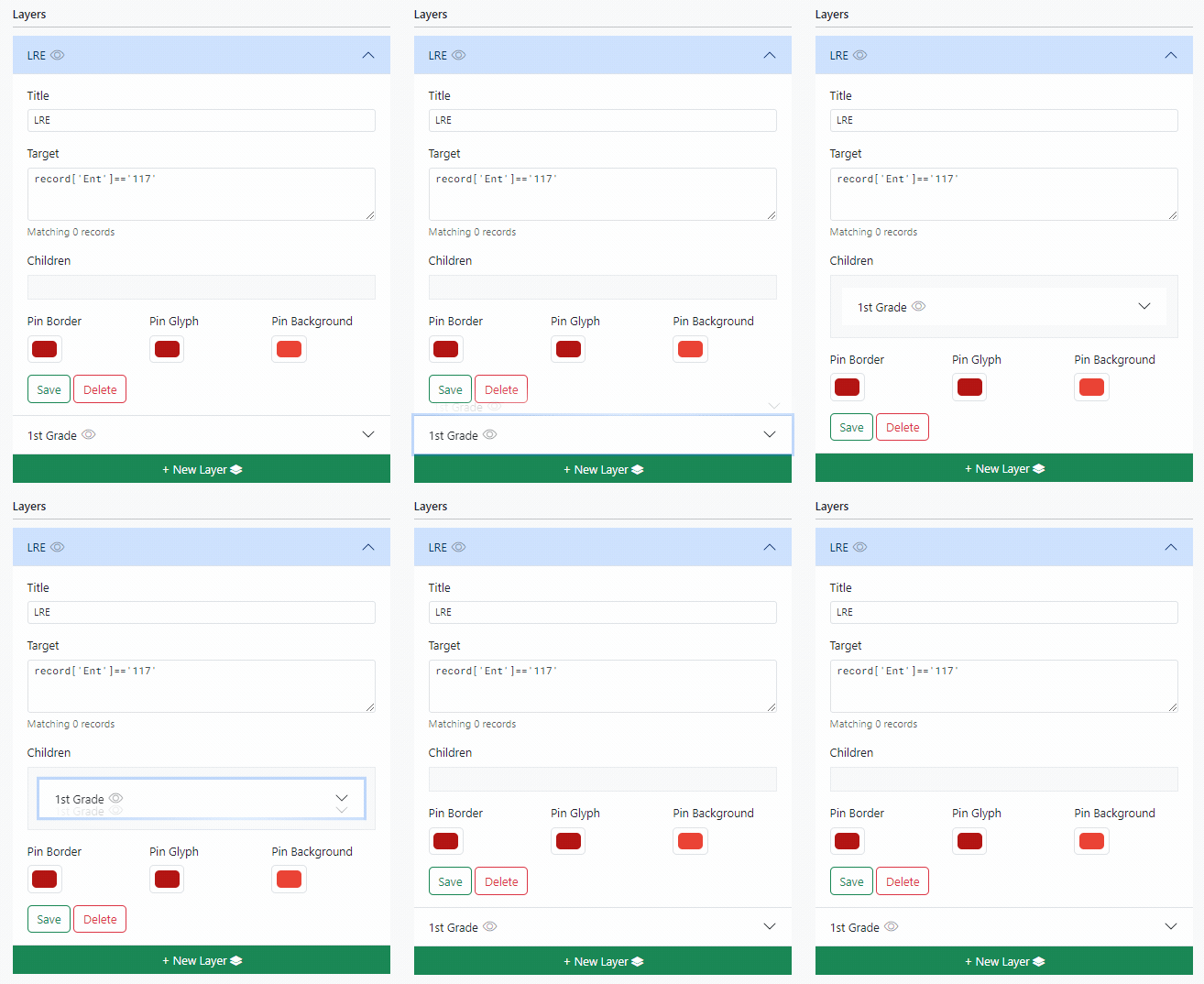
Layers can nested by dragging and dropping them in to the parent layer's children container.

<table border="1" id="bkmrk-child-layers%3A-inheri" style="border-collapse: collapse; width: 100%;"><colgroup><col style="width: 50%;"></col><col style="width: 50%;"></col></colgroup><tbody><tr><td>[![mapengine-layer-child.gif](https://wiki.sumnersd.org/uploads/images/gallery/2023-11/6Noaqo5BKdWb4Lsk-mapengine-layer-child.gif)](https://wiki.sumnersd.org/uploads/images/gallery/2023-11/6Noaqo5BKdWb4Lsk-mapengine-layer-child.gif)</td><td style="vertical-align: top;">Child layers:

- Inherit their parent's style settings
- Inherit their parent's visibility
- Evaluate their target filter **only** against records that are also matched by their parent
- Are deleted when their parent is deleted

</td></tr></tbody></table>