# Fixing Missing Student in SmartPass
#### Overview
---
SmartPass syncs student and staff accounts from Google OUs. There are some situations where a student's account may have manually been moved to a different OU and forgotten about over time (e.g. *Google Only OU, Chromebook Take Home OU*), making it so that SmartPass can't find their Google account.
#### Instructions
---
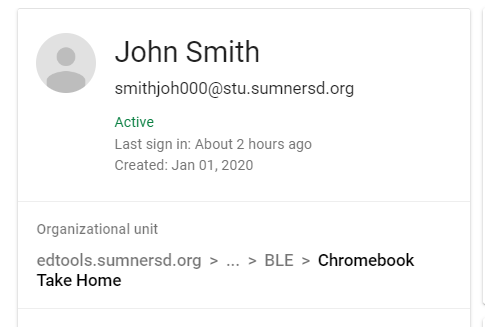
**1**. Confirm that the student is not in the expected Google OU. Their expected OU should reflect their primary location in RapidIdentity. In this case, the student currently attends a middle school, but they were manually moved into the '*Chromebook Take Home*' OU when they were attending an elementary school.
| [](https://wiki.sumnersd.org/uploads/images/gallery/2023-10/8B2nWQffZnBu5Iyh-image.png)
|
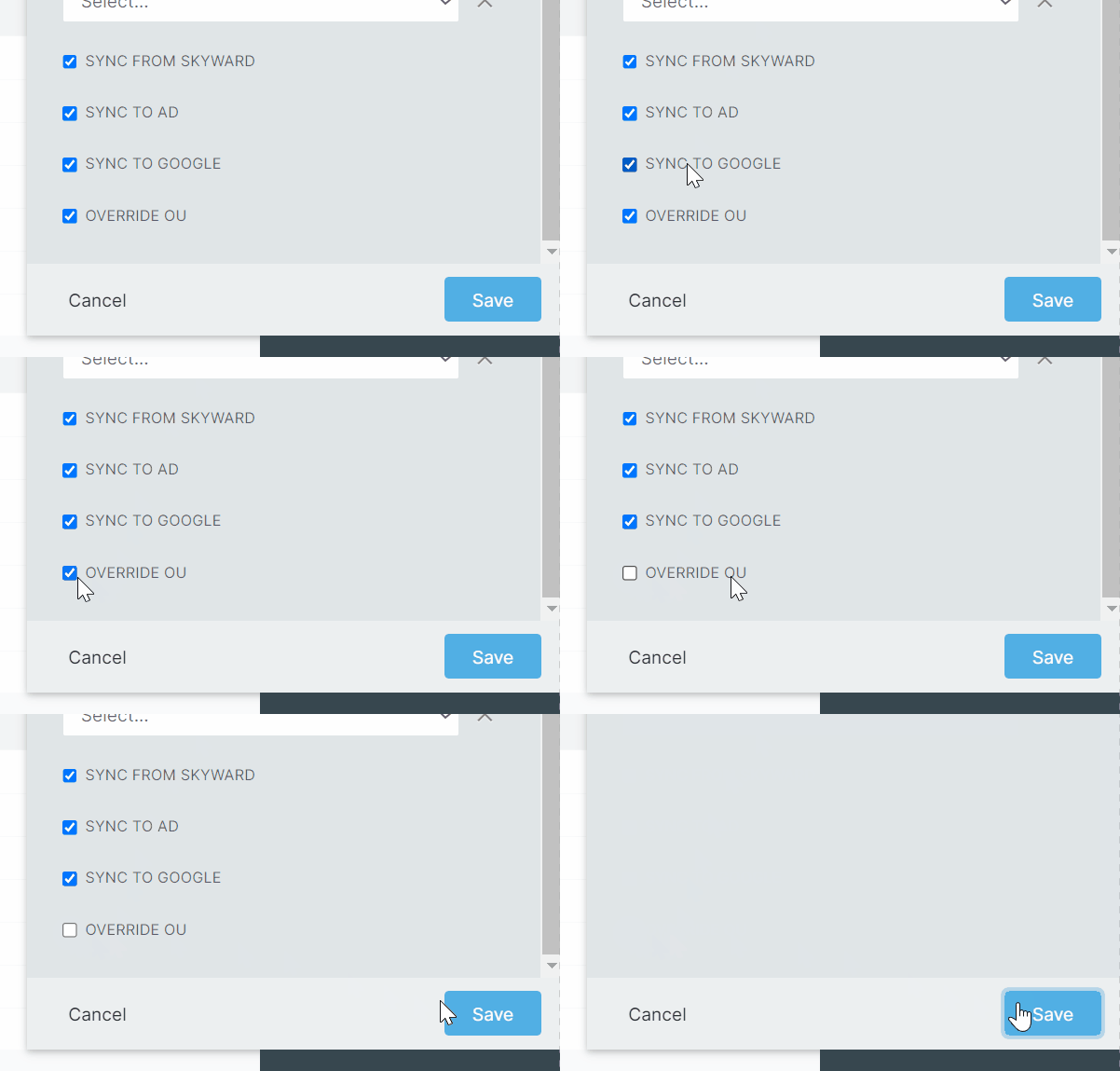
**2**. Disable the '*Override OU*' flag on the student's RapidIdentity account, then save it. This will automatically recalculate the account's Google OU and move their account accordingly.
Ensure that the **Sync To Google** flag is enabled too
| [](https://wiki.sumnersd.org/uploads/images/gallery/2023-10/aoM3ddd16K4PBrOB-ri-disable-override-ou.gif) |
**3**. SmartPass will now pull the student's Google account during the next scheduled sync (*typically around 4PM*).